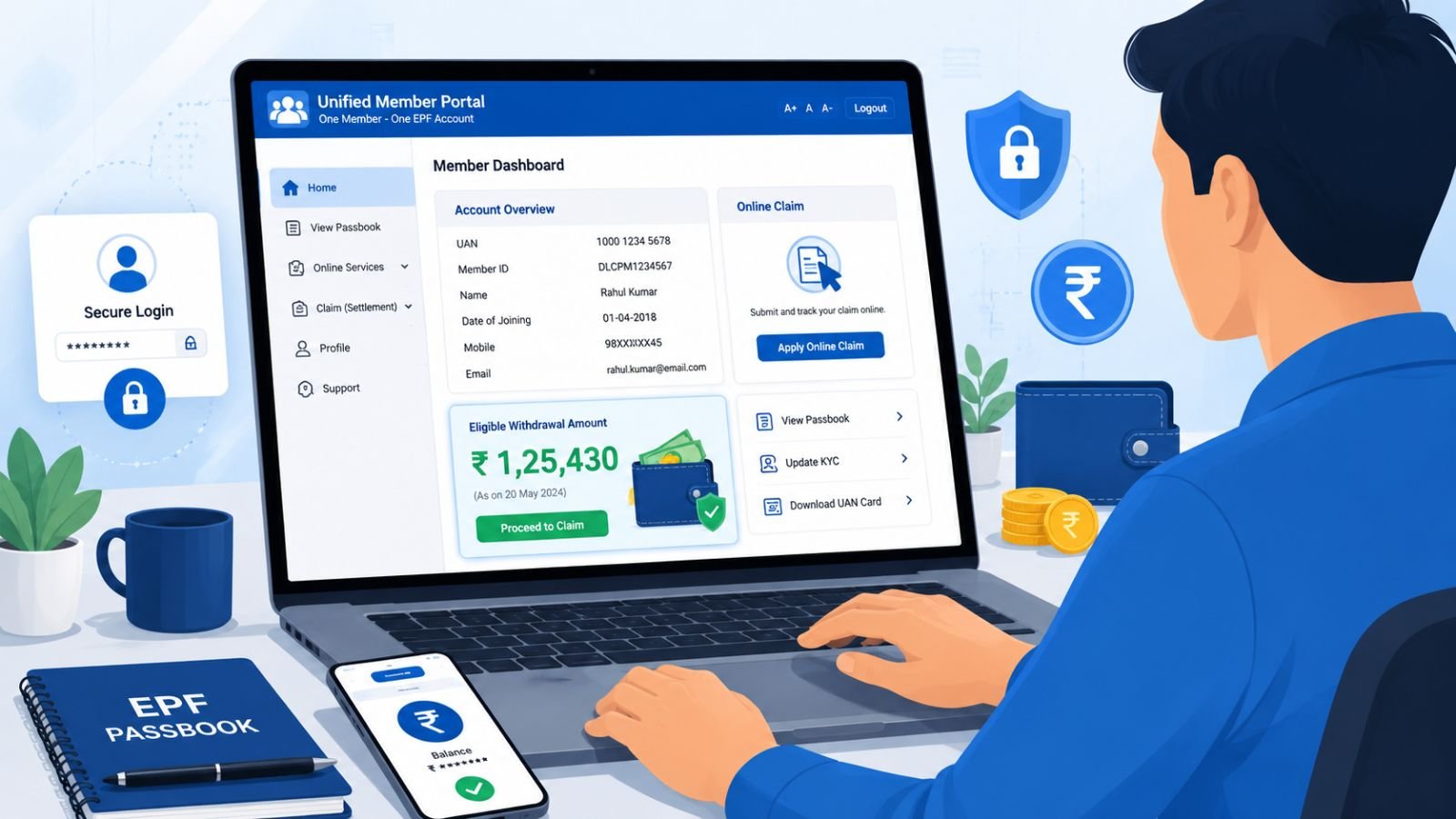
Many Employees’ Provident Fund (EPF) members are currently unable to view their PF balance or passbook on the EPFO portal due to temporary maintenance or portal migration. If you’re facing the same issue, there’s no need to worry. Even when the passbook service is unavailable, you can still check your eligible EPF withdrawal amount through the EPFO Unified Member Portal. In this guide, we’ll explain the complete process in simple language so you can find out how much PF amount you’re eligible to withdraw.
Why Is the EPF Passbook Not Showing Your Balance?
There are several reasons why your EPF balance may not be visible on the portal. The most common reason is that the EPFO system is undergoing maintenance or migration. During this period, services such as the EPF passbook, balance inquiry, or claim status may not work properly. In most cases, these issues are temporary and are resolved once the maintenance work is completed.
Can You Check Your EPF Withdrawal Amount Without the Passbook?
Yes, you can. Even if the EPF passbook is temporarily unavailable, the EPFO Unified Member Portal allows you to view your eligible withdrawal amount while filling out an online claim form. You do not need to submit the claim if your only purpose is to check the amount. Simply follow the claim process until the eligible withdrawal amount is displayed.
Requirements Before You Begin
Before checking your eligible withdrawal amount, make sure you have the following:
- An active Universal Account Number (UAN)
- Your UAN password
- Aadhaar linked with your UAN
- A verified bank account linked to your EPF account
- A mobile number linked with Aadhaar
Keeping your KYC details updated ensures a smooth experience while accessing EPFO online services.
How to Check Your EPF Eligible Withdrawal Amount
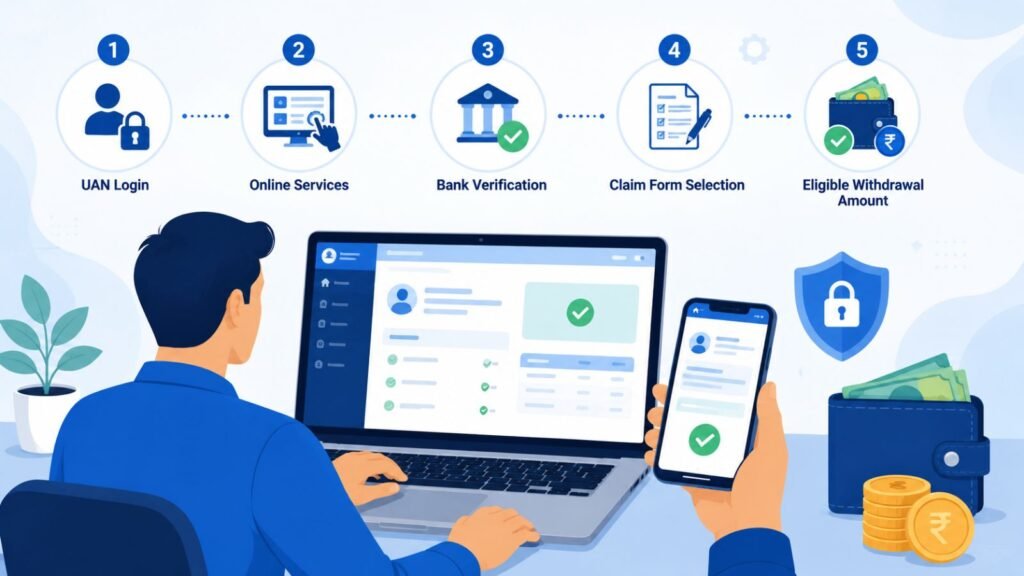
Step 1: Log in to the EPFO Unified Member Portal
Visit the official EPFO Unified Member Portal at https://unifiedportal-mem.epfindia.gov.in/memberinterface/ and log in using your UAN and password. Once logged in, you’ll be redirected to your member dashboard.
Step 2: Go to Online Services
From the dashboard, click on Online Services and then select Claim (Form-31, 19, 10C & 10D).
Step 3: Verify Your Bank Account
The portal will ask you to verify your registered bank account by entering the required details. After verification, click on Proceed for Online Claim.
Step 4: Select the Claim Option
Choose the appropriate claim type according to your requirement. If your objective is only to check the eligible withdrawal amount, continue to the next page without submitting the application.
Step 5: View Your Eligible Withdrawal Amount
After selecting your PF account and the purpose of withdrawal, the system will display the eligible withdrawal amount. This amount indicates how much money you are currently allowed to withdraw under EPFO rules. If you only wanted to check the amount, you can simply exit the process without submitting the claim.
EPF Balance vs. Eligible Withdrawal Amount
Many users believe that the EPF balance and eligible withdrawal amount are the same, but they are different.
| Parameter | EPF Balance | Eligible Withdrawal Amount |
|---|---|---|
| Definition | Total amount in PF account (employee + employer contributions + interest) | Amount you are permitted to withdraw based on EPFO rules, service period, and withdrawal reason |
| May vary | Yes, can be higher | Yes, may be less than total balance |
Your EPF balance refers to the total amount available in your provident fund account. The eligible withdrawal amount, however, is the amount you are permitted to withdraw based on EPFO rules, your service period, and the reason for withdrawal. Therefore, the eligible withdrawal amount may be less than your total EPF balance.
Important Points to Remember
- Always use the official EPFO portal while checking your eligible withdrawal amount
- Verify your bank account details carefully before proceeding
- If you only want to know your eligible amount, do not submit the claim form
- The amount displayed by the portal may vary depending on EPFO guidelines and your account status
- Keeping your Aadhaar, PAN, and bank details updated can help avoid issues during the withdrawal process
What to Do If the EPF Passbook Is Still Not Working
If the passbook service remains unavailable, you can wait until the maintenance is completed and try again later. You may also clear your browser cache, use a different browser, or access the portal during non-peak hours. If the issue continues for several days, consider contacting EPFO customer support for assistance.
Official EPFO Resources
- EPFO Official Website: https://www.epfindia.gov.in/
- EPFO Unified Member Portal: https://unifiedportal-mem.epfindia.gov.in/memberinterface/
- EPF Passbook Portal: https://passbook.epfindia.gov.in/
Conclusion
If your EPF passbook is temporarily unavailable, you don’t have to wait to know your withdrawal eligibility. The EPFO Unified Member Portal provides a simple way to check your eligible withdrawal amount through the online claim process without submitting a claim. By following the steps explained in this guide and using only the official EPFO websites, you can safely determine how much PF amount you are currently eligible to withdraw.
Frequently Asked Questions
Q1. Why is my EPF balance not showing
A1. Your EPF balance may not be visible because the EPFO portal is undergoing maintenance, migration, or experiencing temporary technical issues.
Q2. Can I check my PF balance without the passbook
A2. You can check your eligible EPF withdrawal amount through the online claim process, even if the passbook service is unavailable.
Q3. Will my claim be submitted automatically
A3. No. Your claim is submitted only after you complete the final confirmation step. Simply viewing the eligible withdrawal amount does not initiate a withdrawal request.
Q4. Is it safe to check the eligible withdrawal amount online
A4. Yes. As long as you use the official EPFO portal and do not share your UAN credentials with anyone, the process is completely safe.
Q5. When will the EPF passbook start working again
A5. If the issue is due to portal maintenance or migration, the passbook service should resume once EPFO completes the update. There is no fixed timeline, so it’s best to check the official portal regularly.